
Every campaign you run creates discount codes in your Shopify store. Over time, these pile up. Discount cleanup removes expired codes for you on a set schedule.
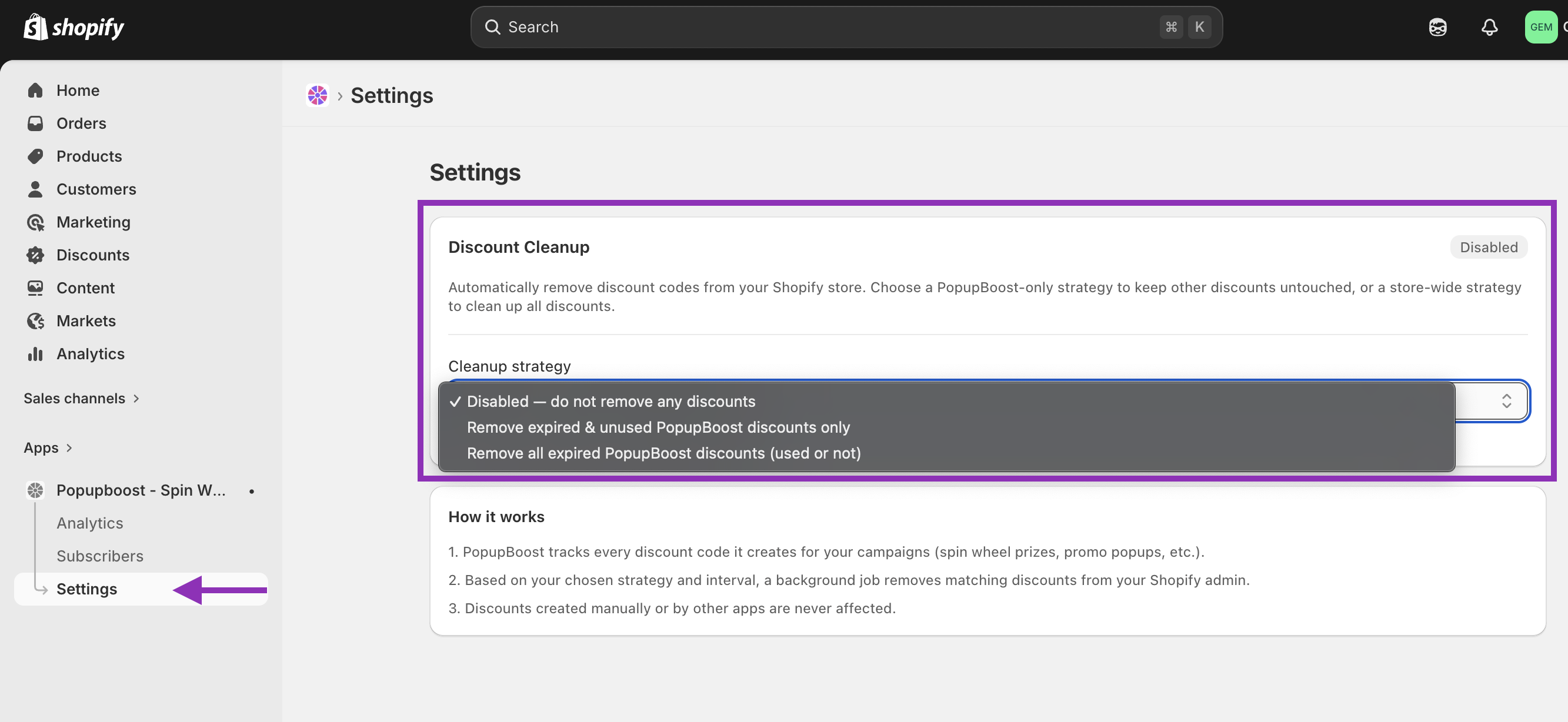
To turn it on, go to App → Settings:
How it works
PopupBoost tracks every code it creates. At each interval, a job runs and deletes the codes that match your chosen strategy.
Only PopupBoost codes are ever removed. Codes you created manually, or codes from other apps, are never touched.
Cleanup strategy
Pick how you want expired codes to be handled:
Disabled
Nothing is removed. This is the default.
Remove expired & unused PopupBoost discounts only
Removes codes that expired and were never used. Codes that customers did redeem are kept, so you still have a record.
Remove all expired PopupBoost discounts (used or not)
Removes all expired codes, used or not. Good if you want a clean discount list.
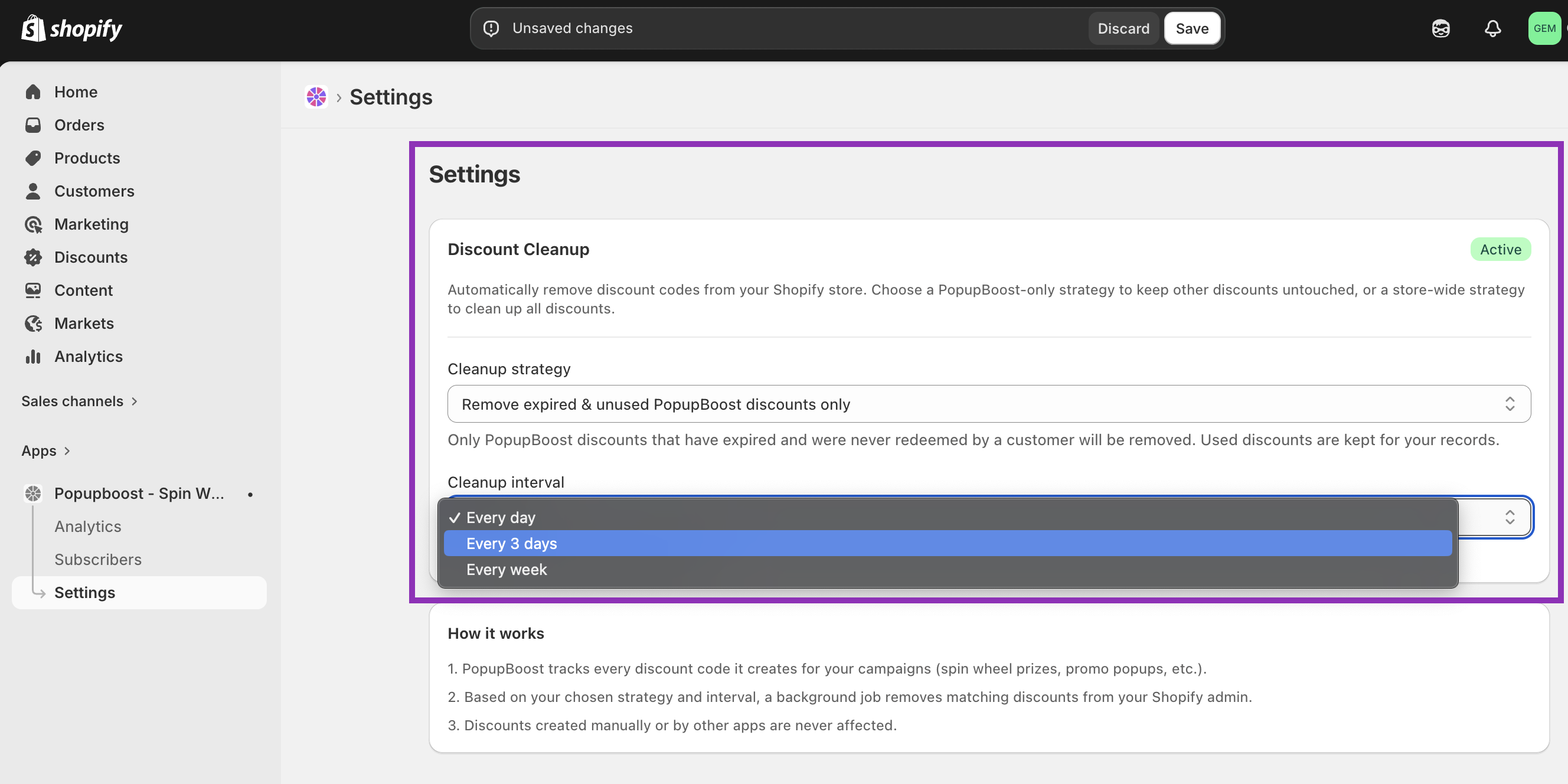
Cleanup interval
Choose how often the job runs:
Every day
Every 3 days
Every week
Will this affect my manual discounts? No. Only codes created by PopupBoost are removed. Can I get a deleted code back? No. Once a code is deleted from Shopify, it's gone. If you need to keep a record of used codes, use the expired & unused only strategy. When does the first job run? It runs based on your chosen interval, starting from when you save your settings. |
|---|