
Coupon codes & prize types
Every slice on your wheel can have its own coupon — a unique code automatically generated for each winner, with its own prize type, prefix, and expiration. No two winners get the same code, so each coupon can only be used once.
To configure a slice's coupon, open your campaign, click Slices in the left panel, and expand the slice you want to edit.
Prize types
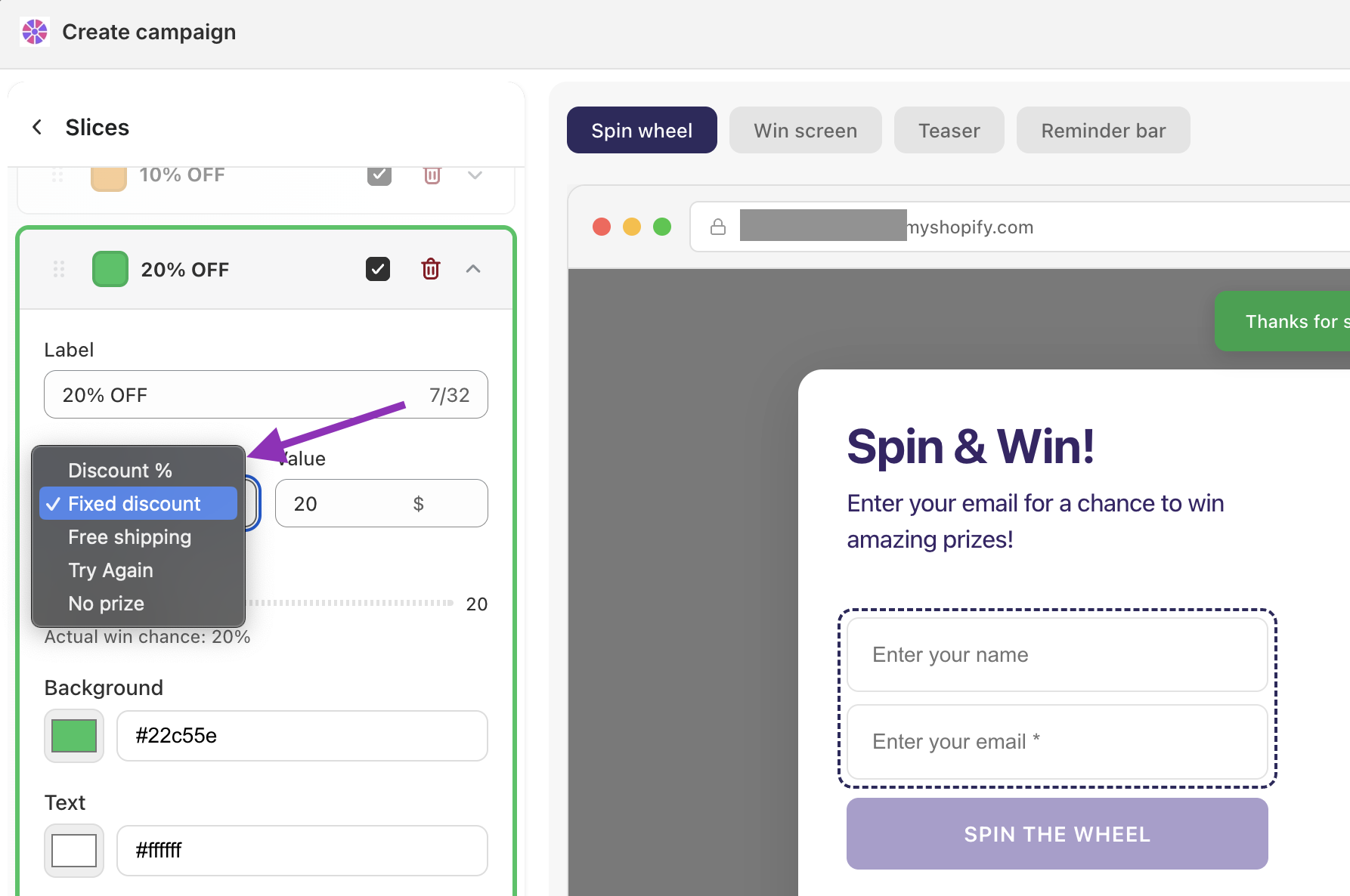
Each slice can award a different type of prize:
Discount % — a percentage off the order (e.g. 20% off)
Fixed discount — a set dollar/currency amount off (e.g. $10 off)
Free shipping — waives shipping costs at checkout
Free gift — adds a product to the customer's cart for free
Try again — no prize is awarded; the visitor is invited to spin again
No prize — the slice lands but gives nothing. Useful for balancing your wheel without implying another chance to spin
Tip: Always include at least one Try again or No prize slice with a decent weight. A wheel where every spin wins something valuable quickly feels rigged — and can seriously hurt your margins.
Free gift
When a customer wins a Free gift slice, a product of your choice is added to their cart automatically when they apply the code.
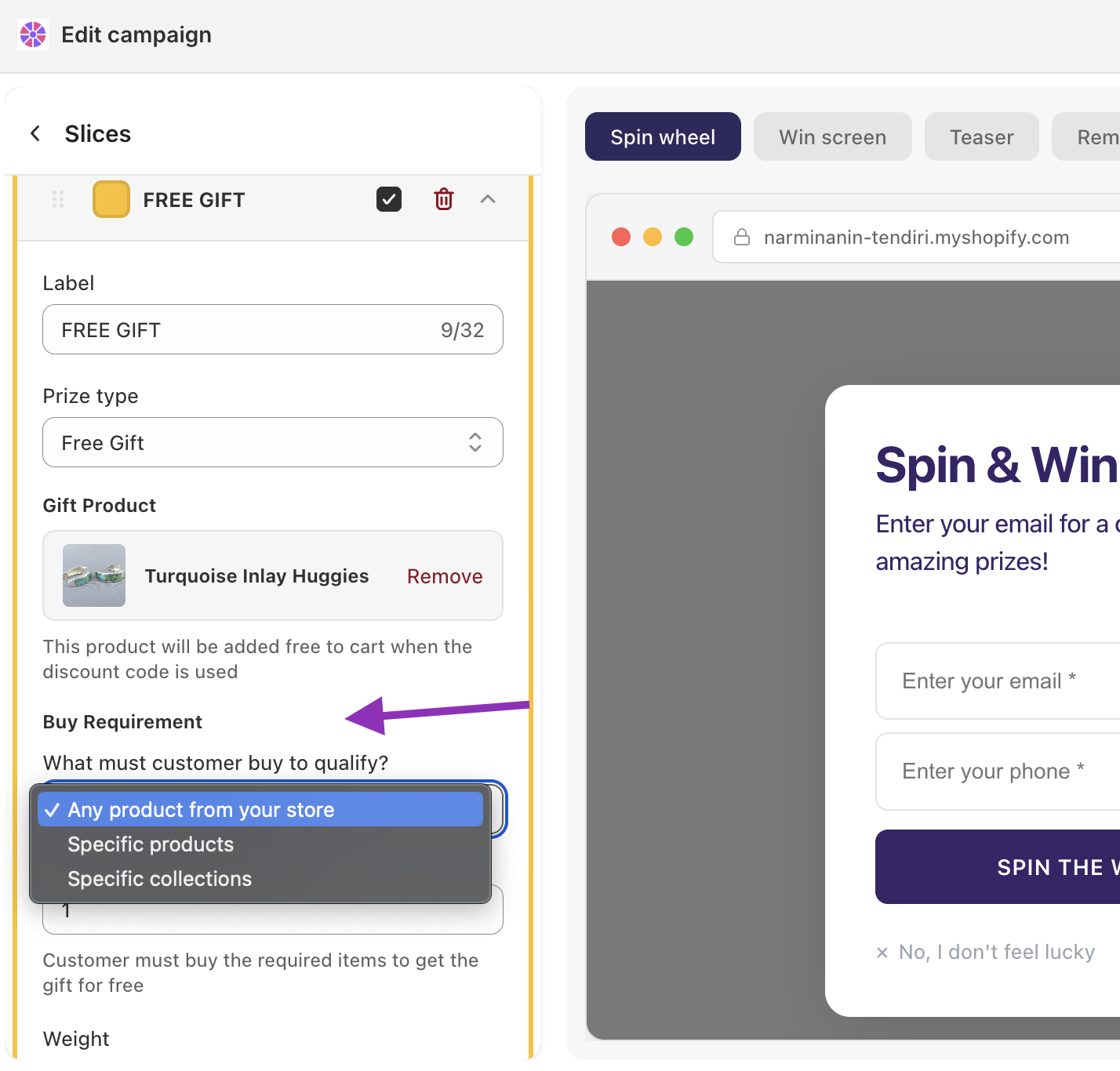
To configure it, select a slice, set the prize type to Free Gift, then choose a gift product.
Buy requirement
You can require customers to buy something first before they qualify. Set a minimum quantity and choose what they need to purchase:
Any product from your store
Specific products
Specific collections
If no buy requirement is set, the gift is added to any cart.
Coupon code prefix
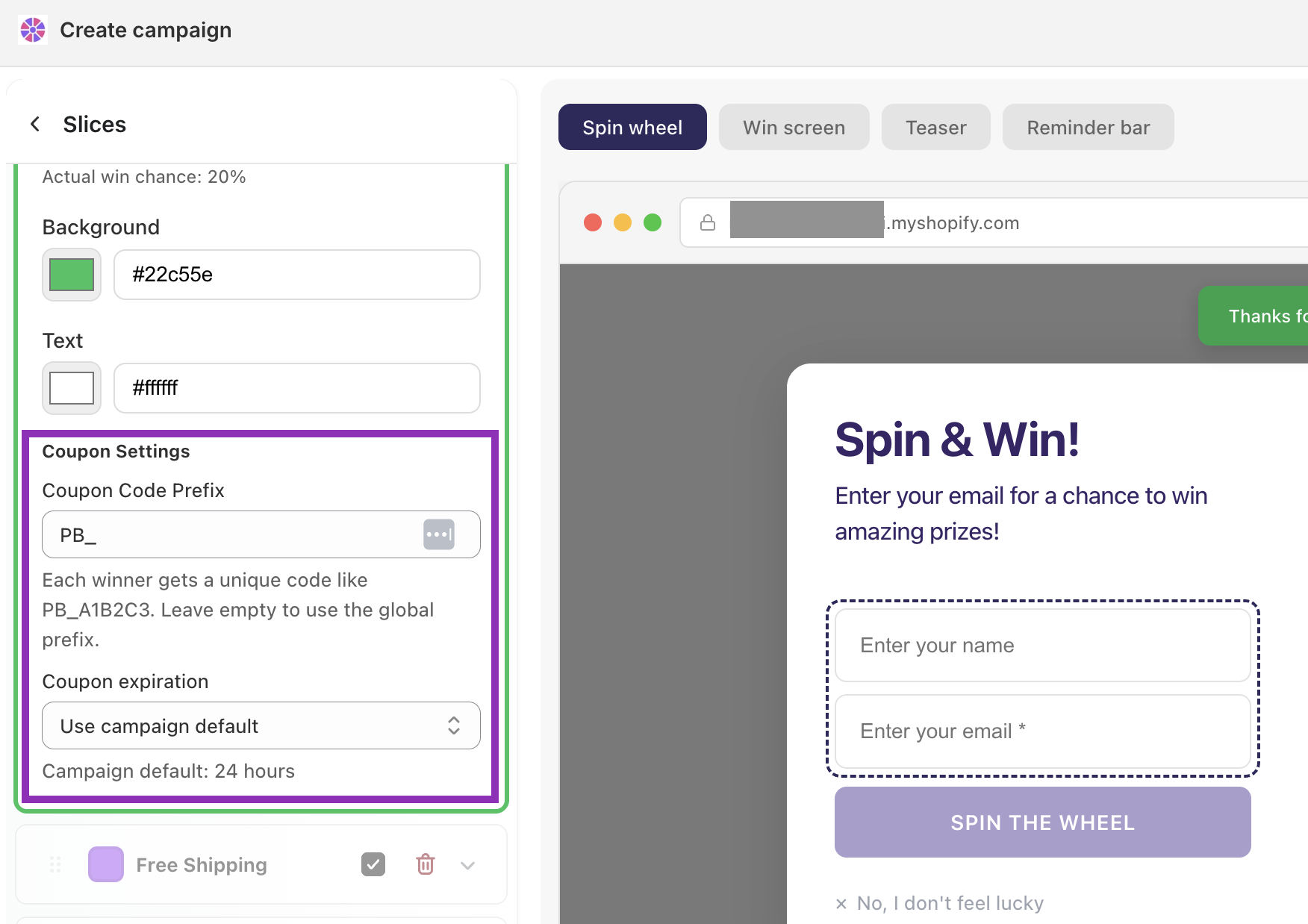
Each winner receives a unique, auto-generated code (e.g. PB_A1B2C3). The prefix is the recognizable part at the start of every code.
You can set a global prefix at the campaign level (e.g.
SUMMER_)Each slice can override the global prefix with its own (e.g.
FREESHIP_for your free shipping slice)Leave the prefix field empty on a slice to fall back to the campaign-level prefix
Leave both empty and the app will generate a prefix automatically
Example: A store sets the campaign prefix to BF_ for Black Friday. Their 20% off slice overrides it with BF20_, and their free shipping slice uses BFSHIP_ — making it easy to identify which prize was won when reviewing codes in Shopify.
Coupon expiration
Set how long each winner's code stays valid after they receive it. You can use the campaign default or override it per slice.
Option | Best used for |
|---|---|
1–6 hours | Flash sales, creating strong urgency |
12–24 hours | Standard spin wheel campaigns |
48–72 hours | Giving visitors time to think without losing urgency |
7–30 days | Loyalty rewards, high-consideration purchases |
The campaign default is 24 hours. To change the default, go to General in the left panel. To override it for a specific slice, change the expiration setting inside that slice.