
Discount combinations
By default, a coupon won from your spin wheel works on its own. Discount combinations let you allow that coupon to stack with other active discounts in your store — so a visitor could use their spin wheel prize alongside a sale, a product discount, or free shipping they already qualify for.
To configure this, go to your campaign and click General in the left panel, then scroll to the Discount combinations section.
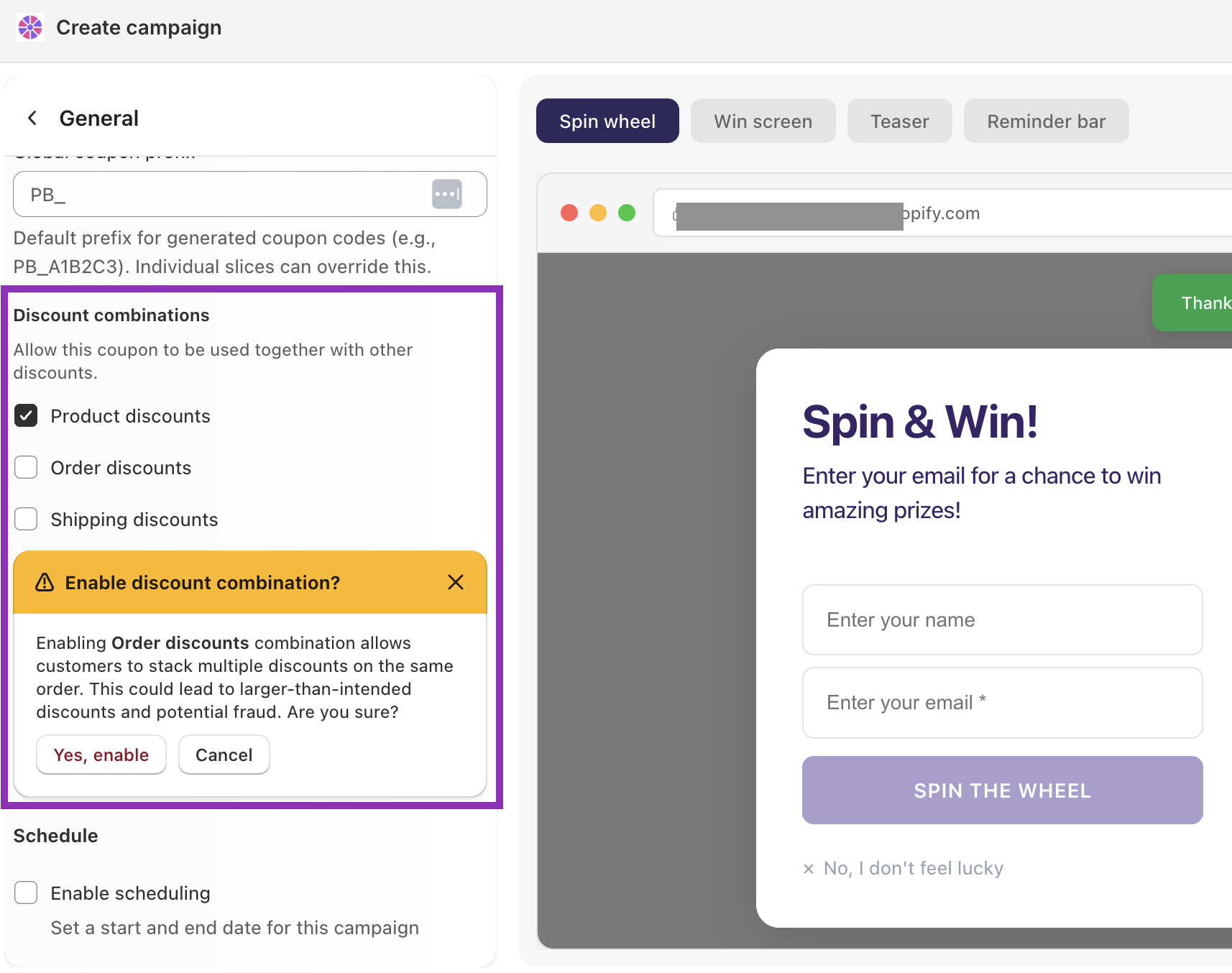
Options
Product discounts — allows the coupon to stack with discounts applied to specific products (e.g. a 20% off sale on a product collection)
Order discounts — allows stacking with order-level discounts (e.g. a "SAVE10" code applied at checkout)
Shipping discounts — allows stacking with free or reduced shipping offers
A note on order and shipping combinations
When you enable order or shipping discount combinations, you'll see a confirmation prompt before the setting saves. This is intentional — stacking these discount types means a customer could combine their spin wheel prize with another discount on the same order, potentially resulting in a larger reduction than you intended.
Example: If your store is running a sitewide 20% off sale and a visitor also wins 15% off on the wheel, enabling order discount combinations would let them use both — resulting in a combined 35% discount.
Enable these combinations only if you're comfortable with that outcome, or if your other discounts are tightly controlled.
Tip: Product discount combinations are the safest to enable — they're scoped to specific items rather than the whole order. Order and shipping combinations carry more risk during sitewide sales or promotional periods.