
The form is what collects visitor information before they spin — typically an email address, but you can also ask for a name or phone number, add GDPR consent, and configure what happens after submission. You can even disable the form entirely if you just want a one-click spin experience.
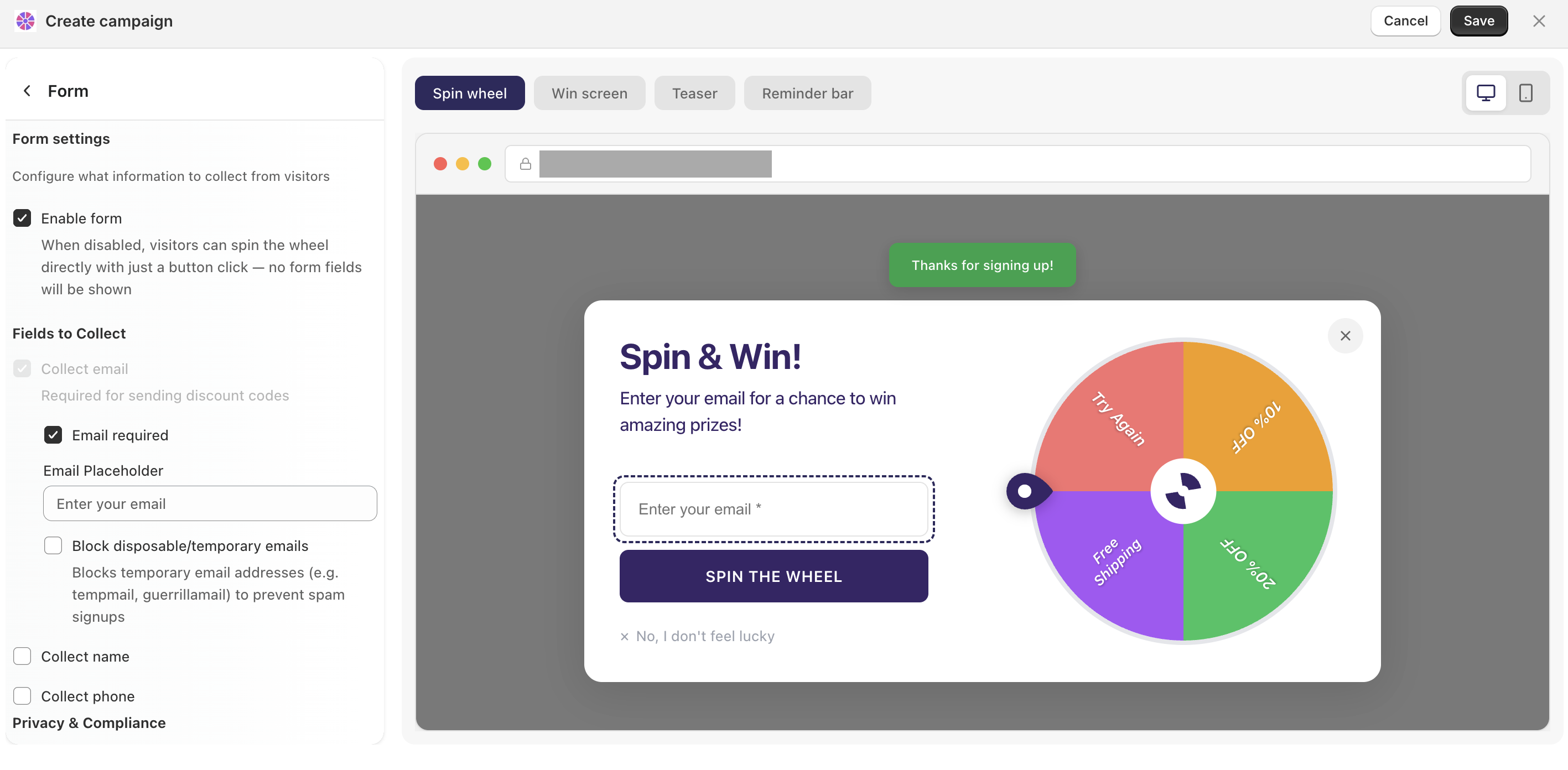
To access form settings, open your campaign and click Form in the left panel — or click directly on the form in the popup preview.
What you can configure
Form on/off
Toggle the form on or off. When disabled, visitors spin with a single button click — no fields shown.
Fields to collect
Email — required if you're sending discount codes by email. You can customize the placeholder text and mark the field as required
Block disposable emails — filters out temporary addresses (like Tempmail or Guerrilla Mail) to keep your list clean
Name and phone number — optional fields you can enable depending on what data you need
Privacy & compliance
Enable a GDPR consent checkbox that visitors must agree to before spinning. Recommended if you have customers in the EU.
Success message
Show a short confirmation message after the form is submitted, before the wheel result appears — useful for setting expectations (e.g. "Check your inbox for your code!"). You can write your own copy or disable it entirely.